Taskivo app icon A calm to-do app

Get it done.
Beautifully.

Lists, priorities, repeats, subtasks and reminders – in one calm, fast place that looks right on iPhone, iPad and Mac.

No accountNo adsNo tracking
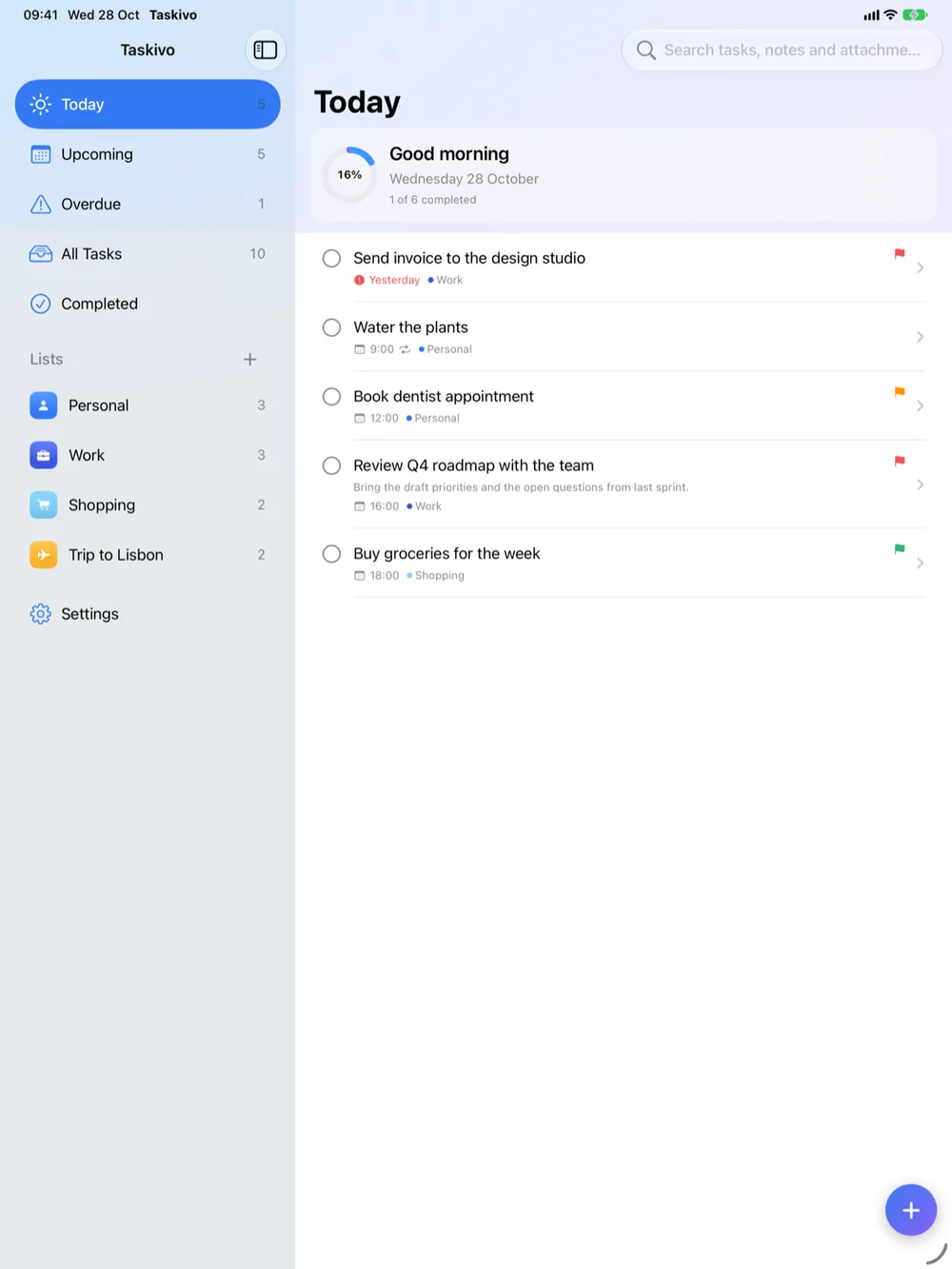
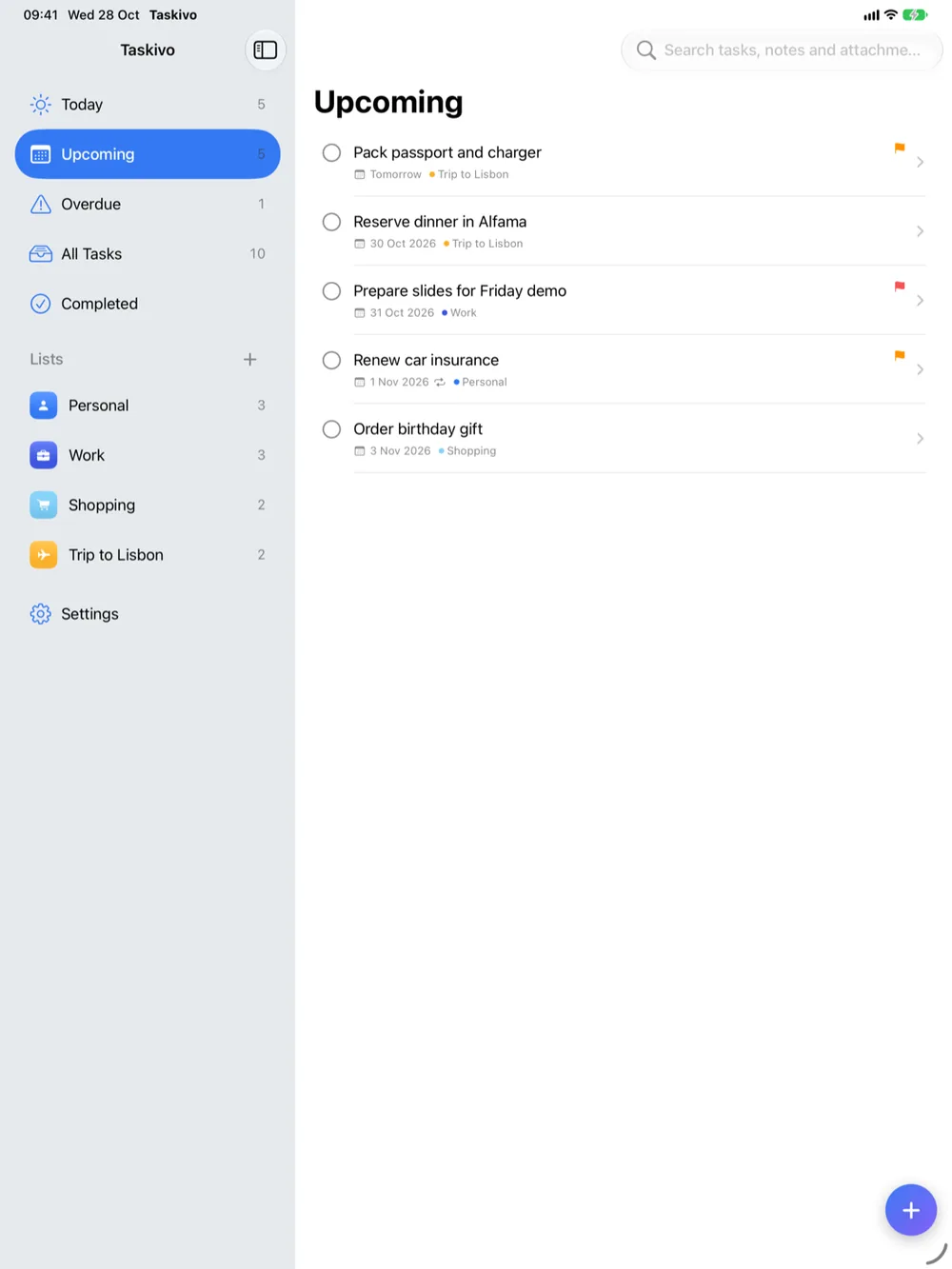
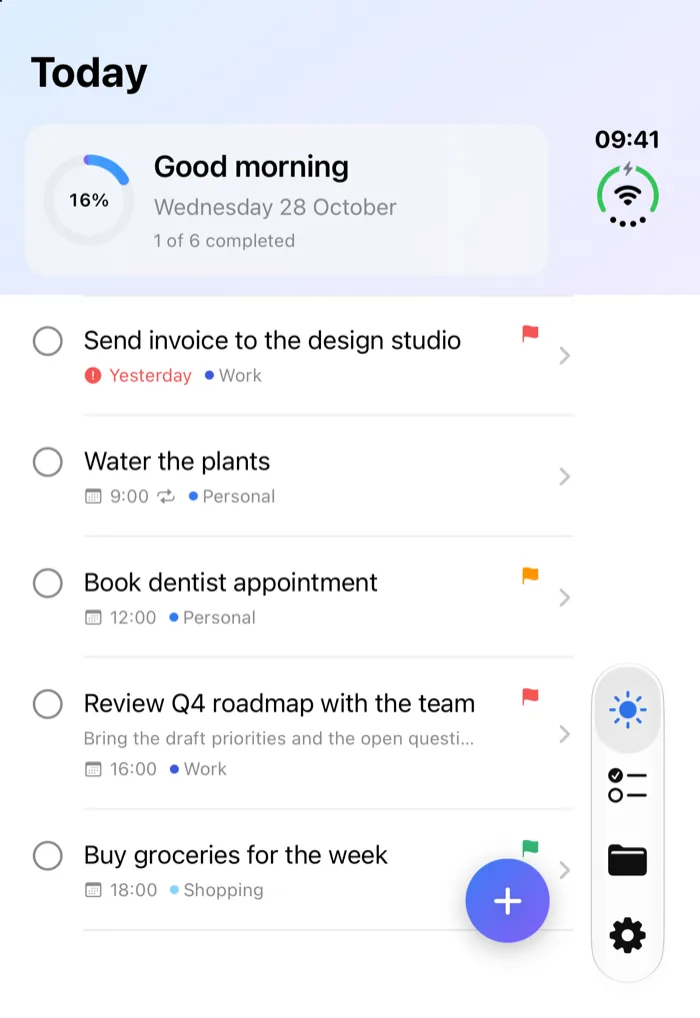
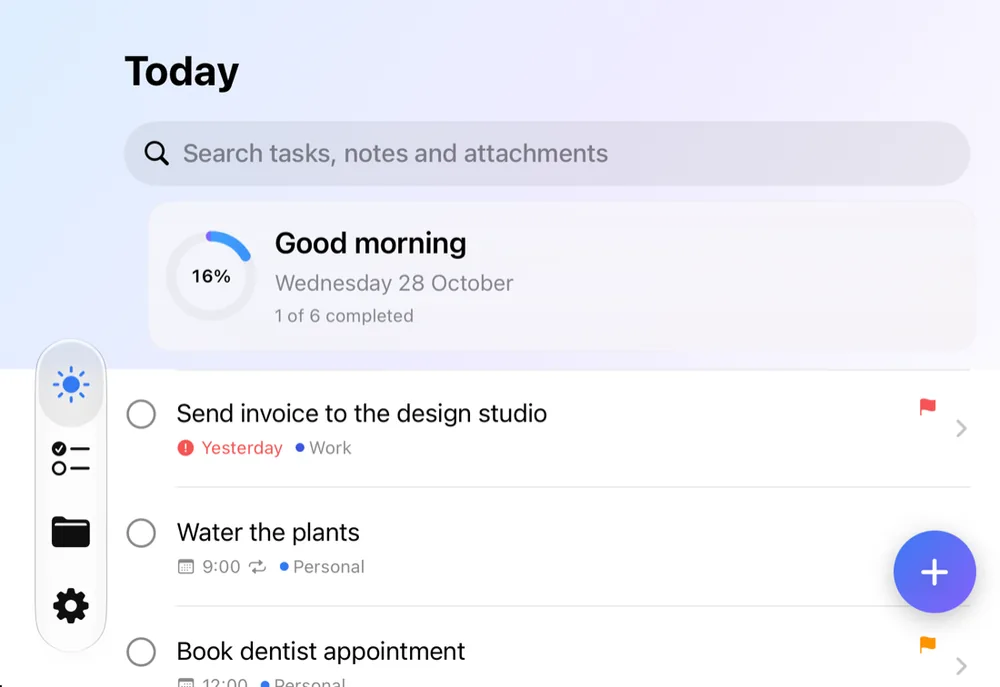
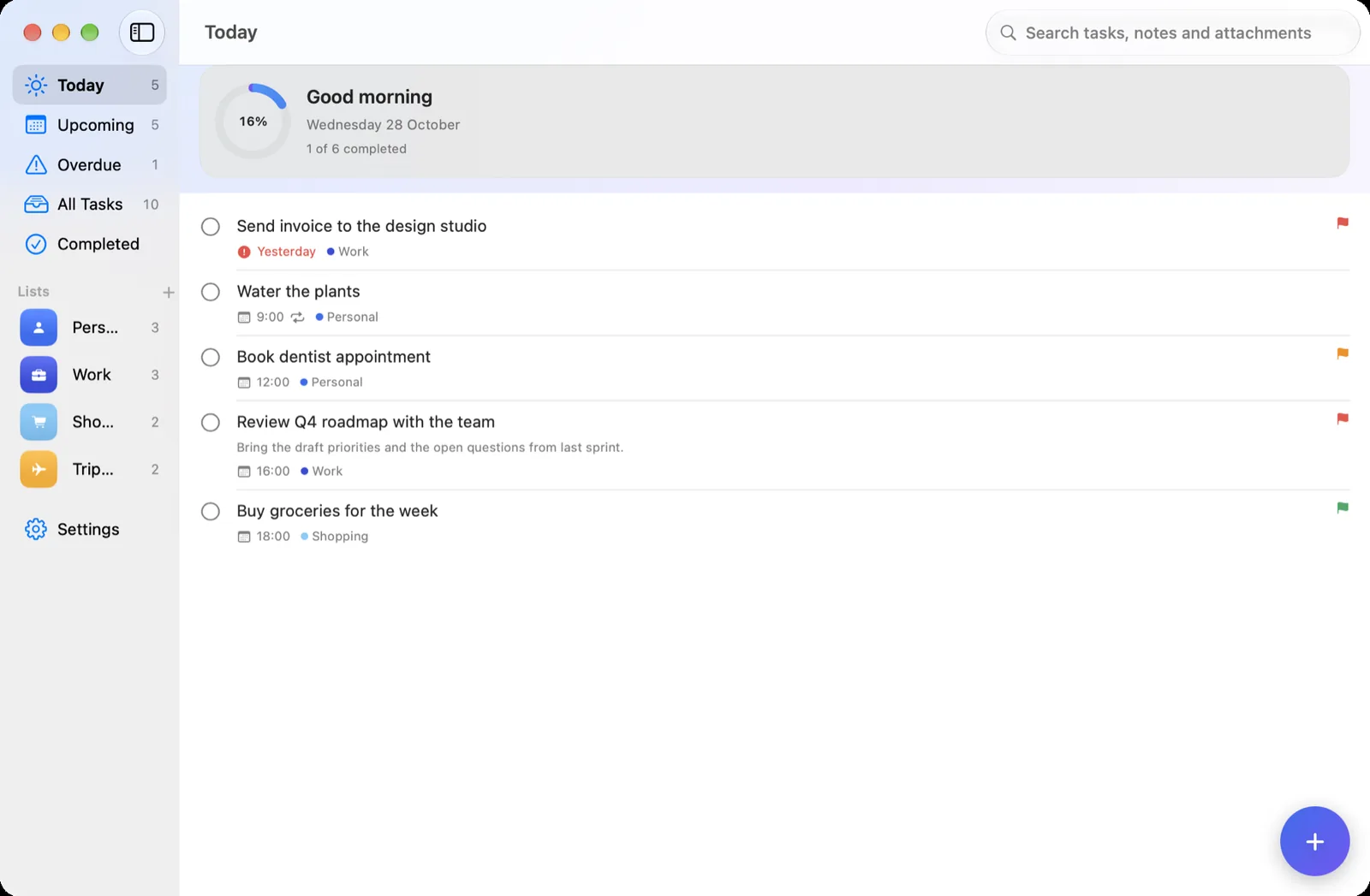
Taskivo Today on iPad
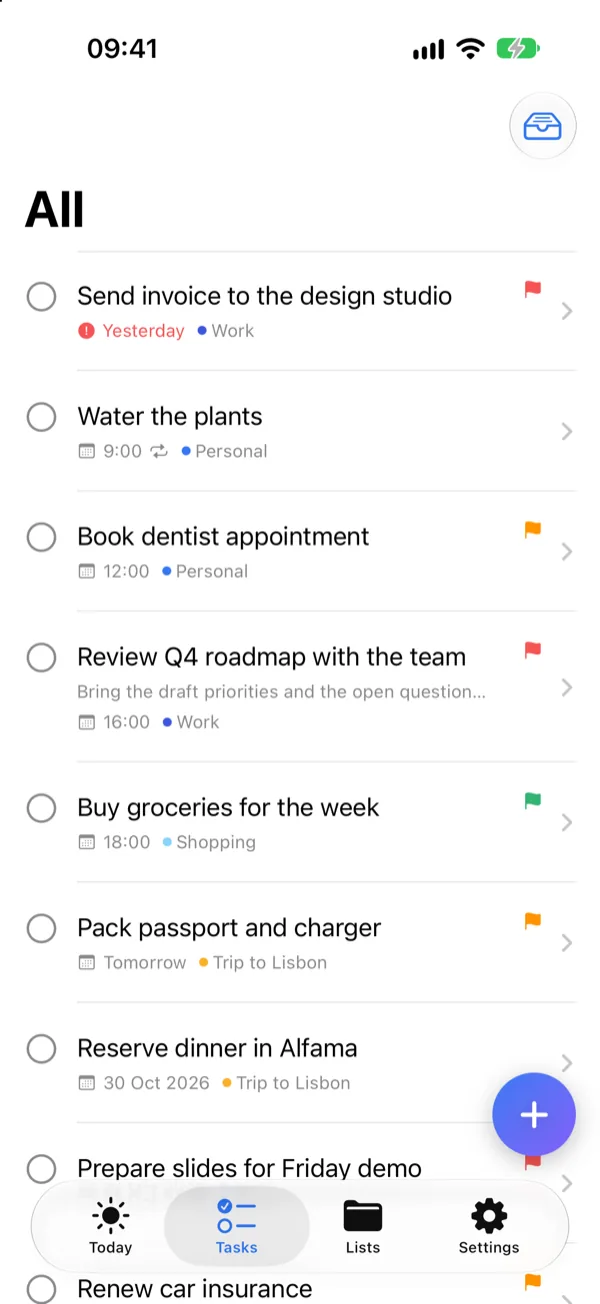
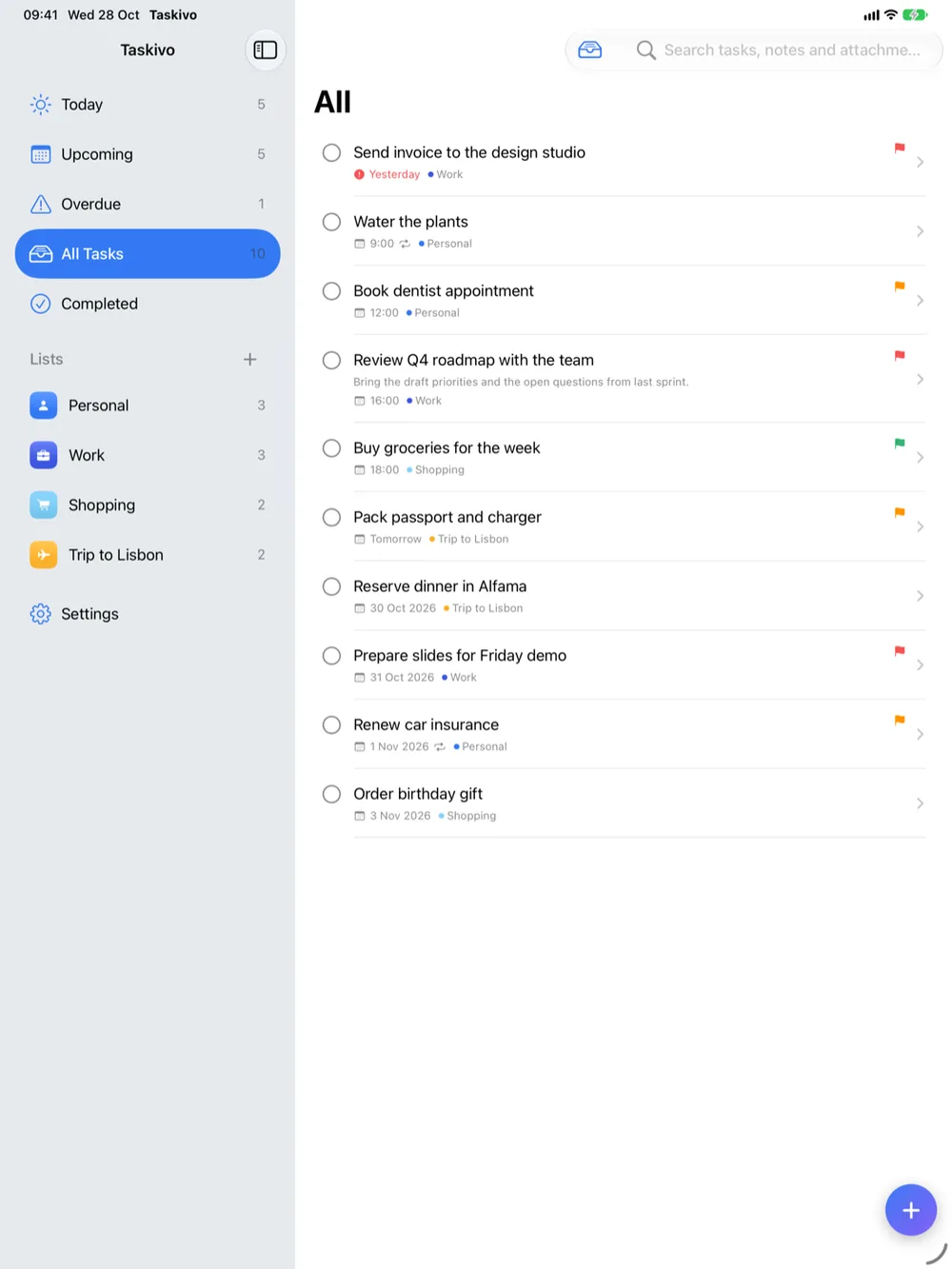
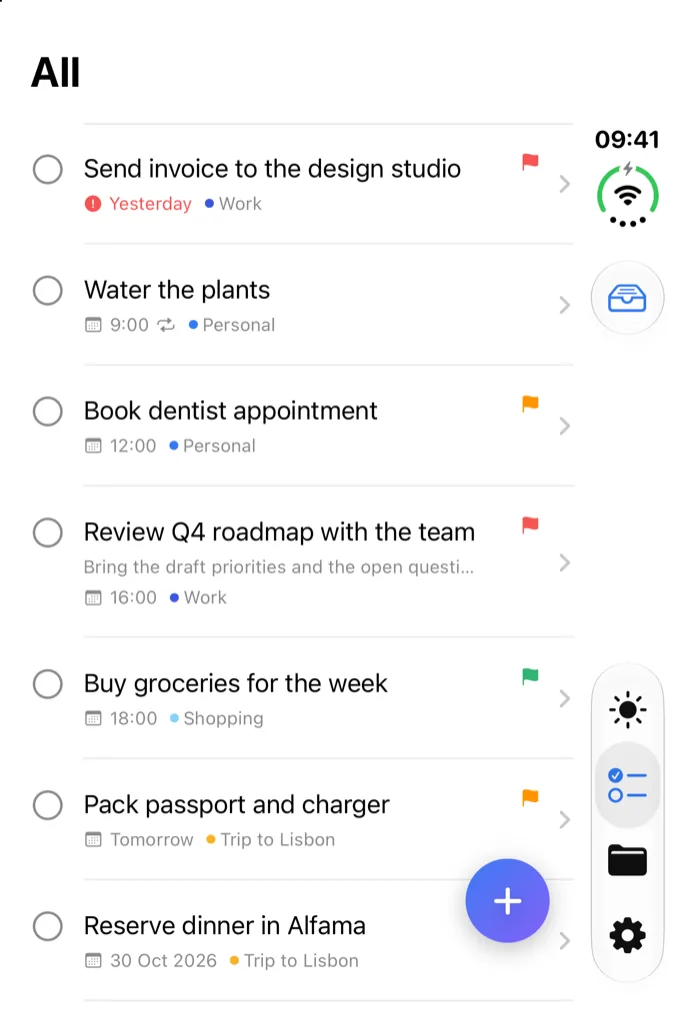
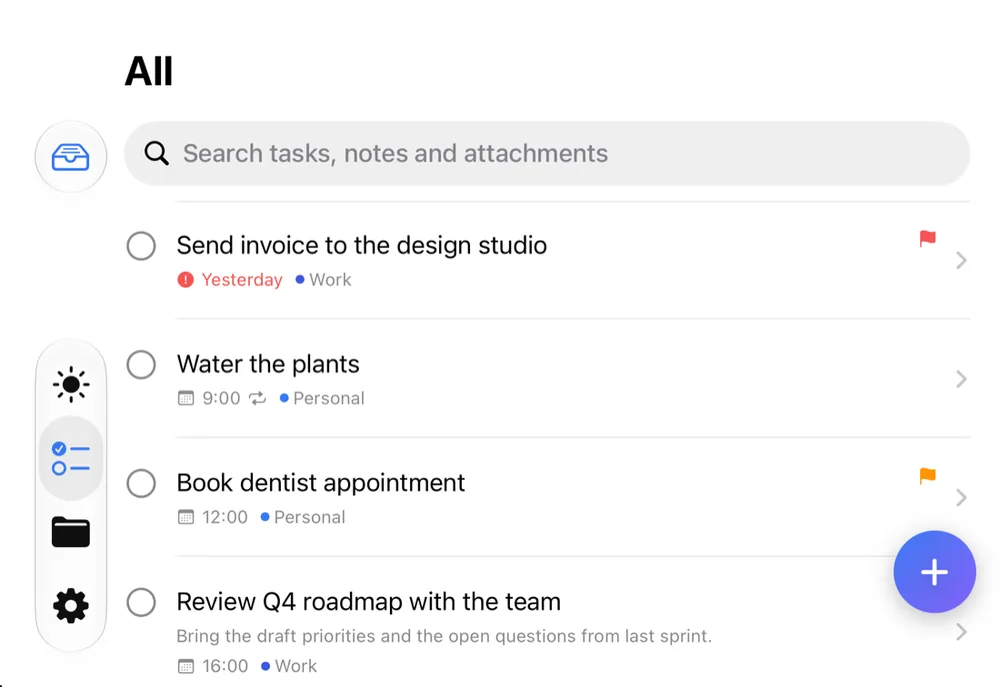
Taskivo All tasks on iPhone
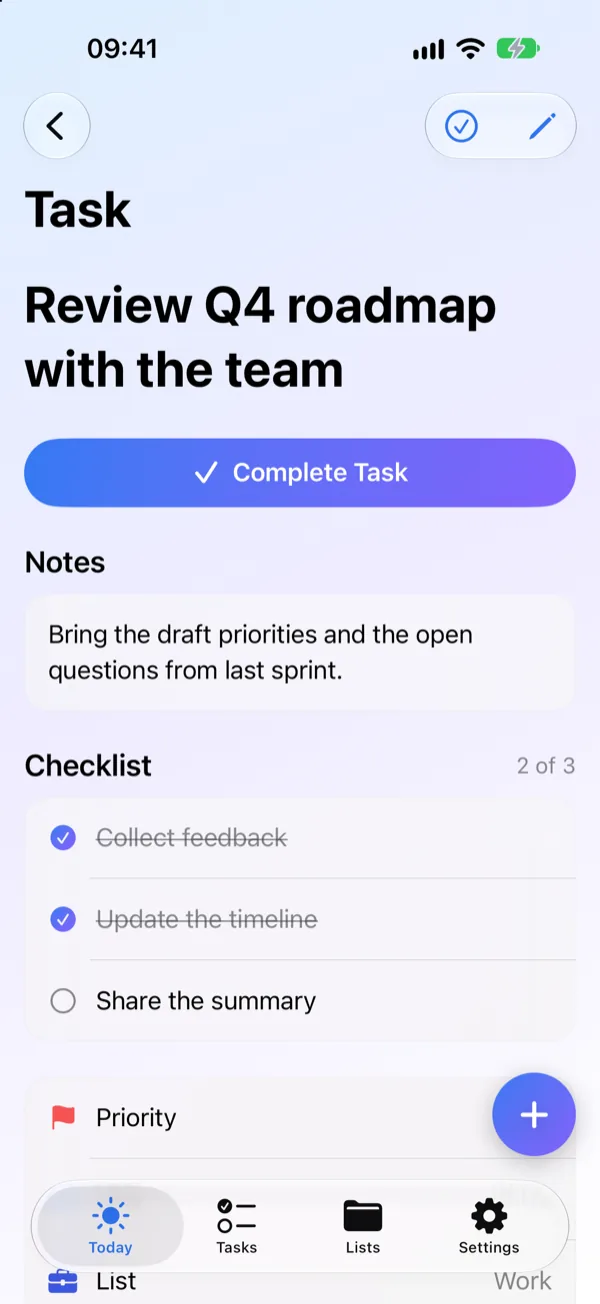
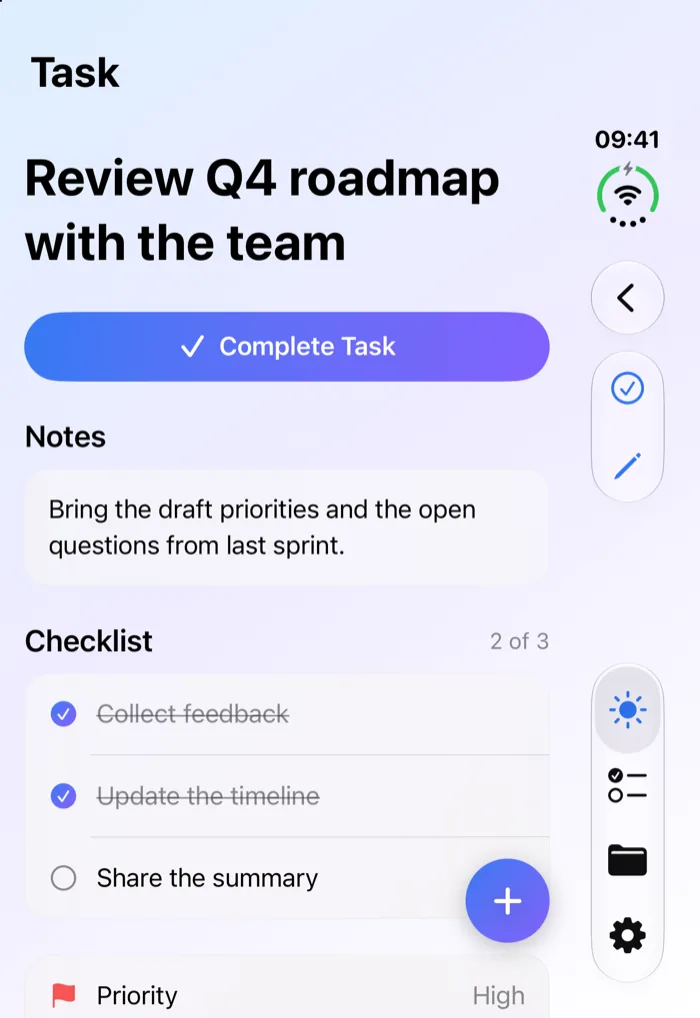
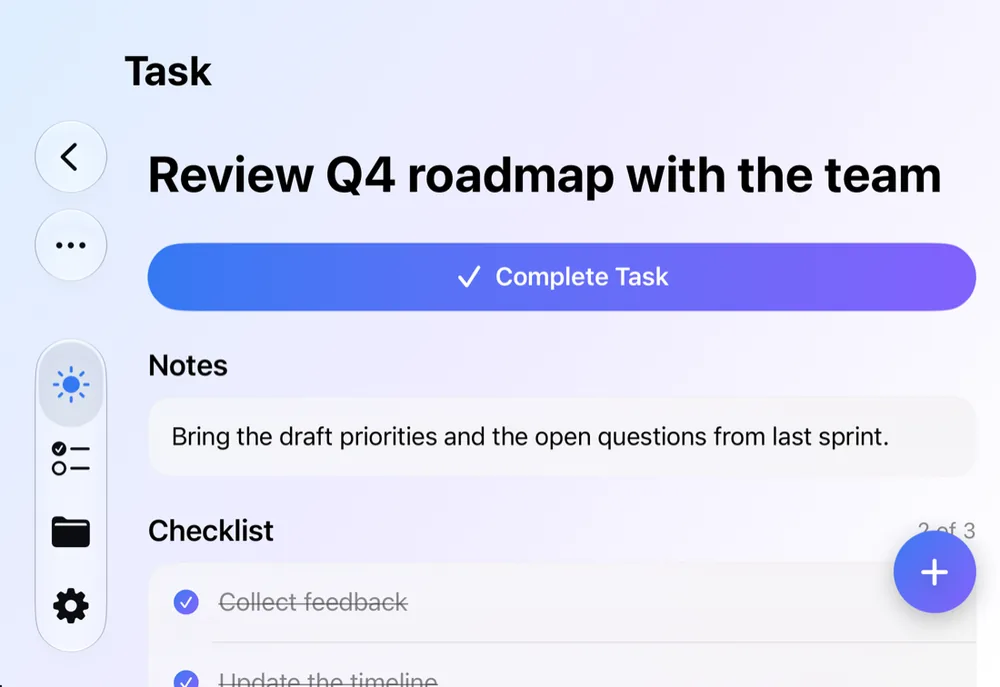
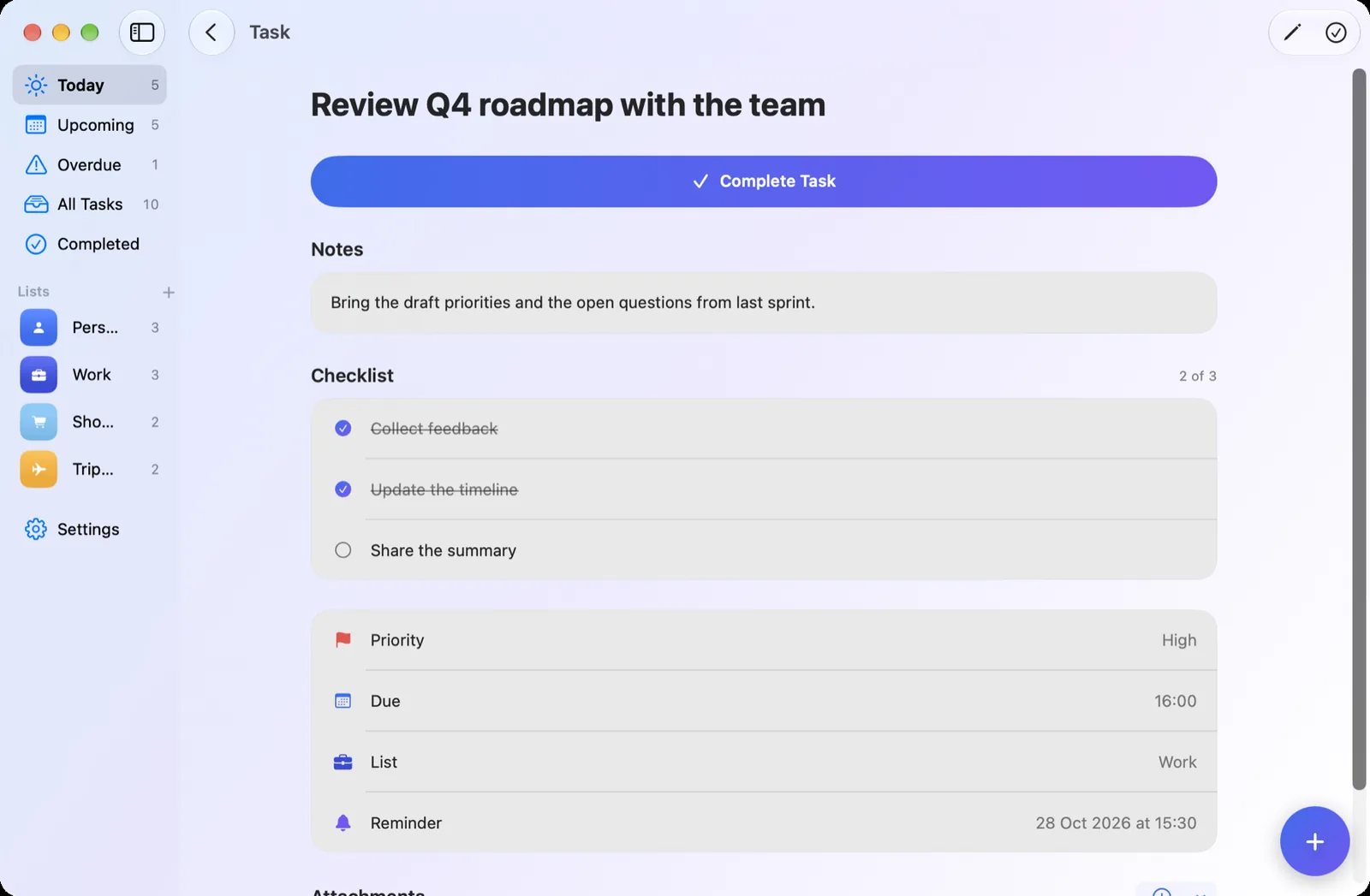
Taskivo task detail on iPhone
5views: Today, Upcoming, Overdue, All and Completed
4repeat intervals, with an optional end
$4.99one time, for sync on every device
0accounts, ads or trackers
Plan

Everything a task needs.

Taskivo keeps the essentials close and gets out of the way. Capture a task in seconds, then add detail only when you want it.

Views that fit your day

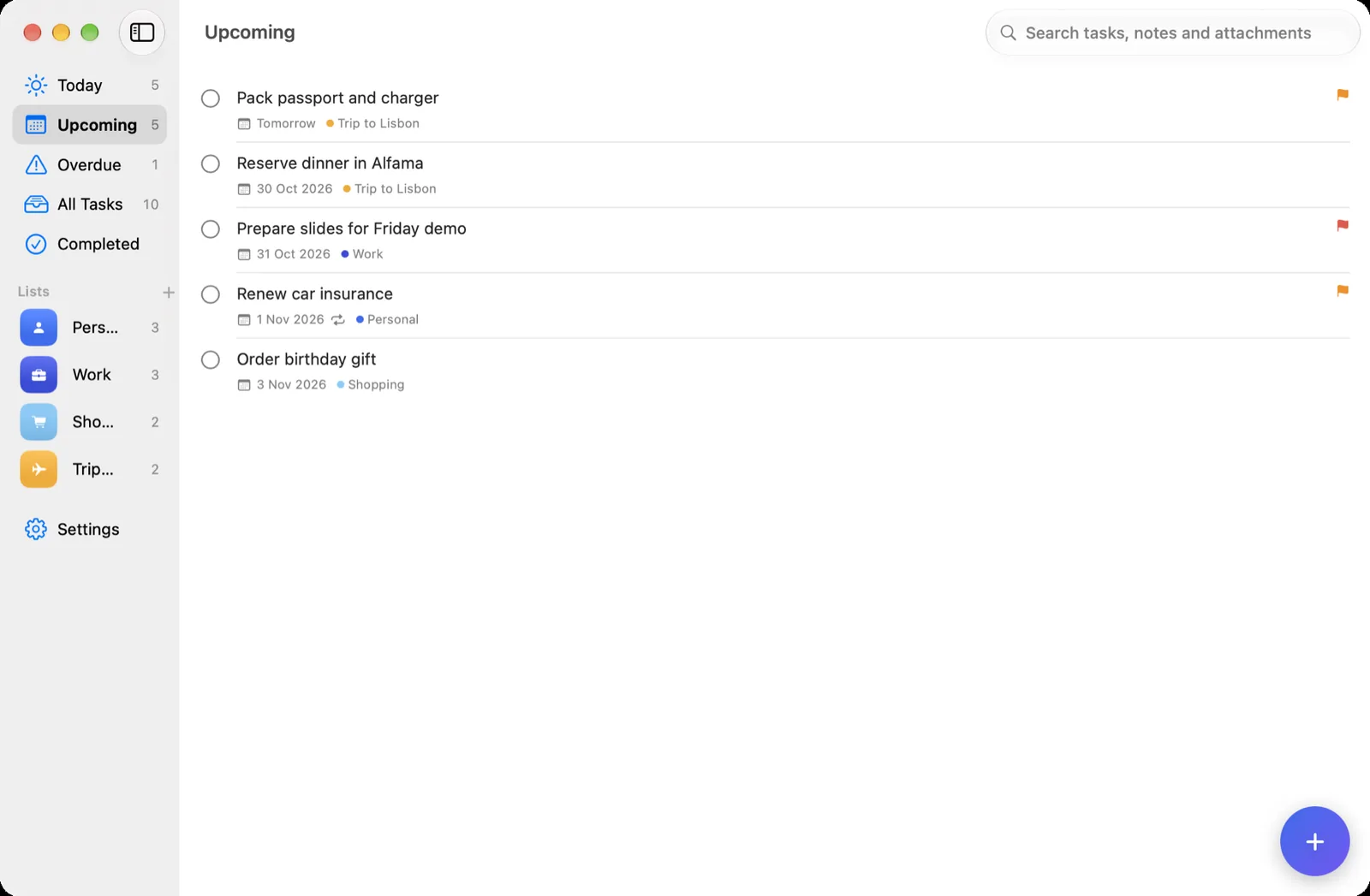
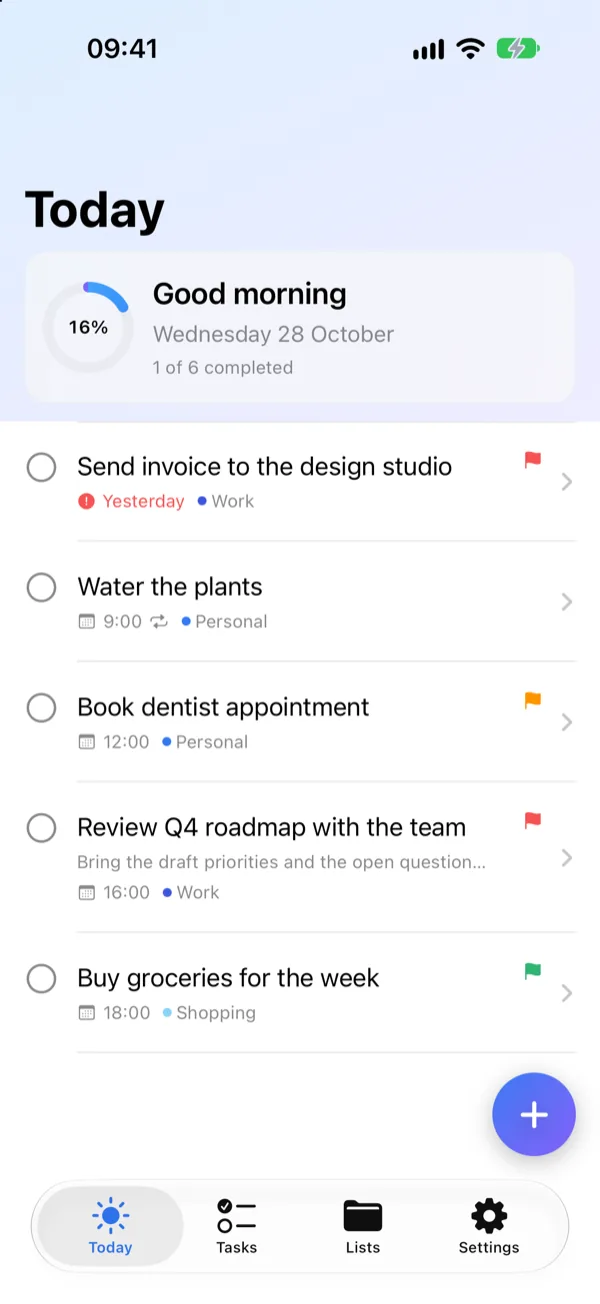
Today, Upcoming, Overdue and Completed views, with a daily progress ring on Today.
Lists with colour

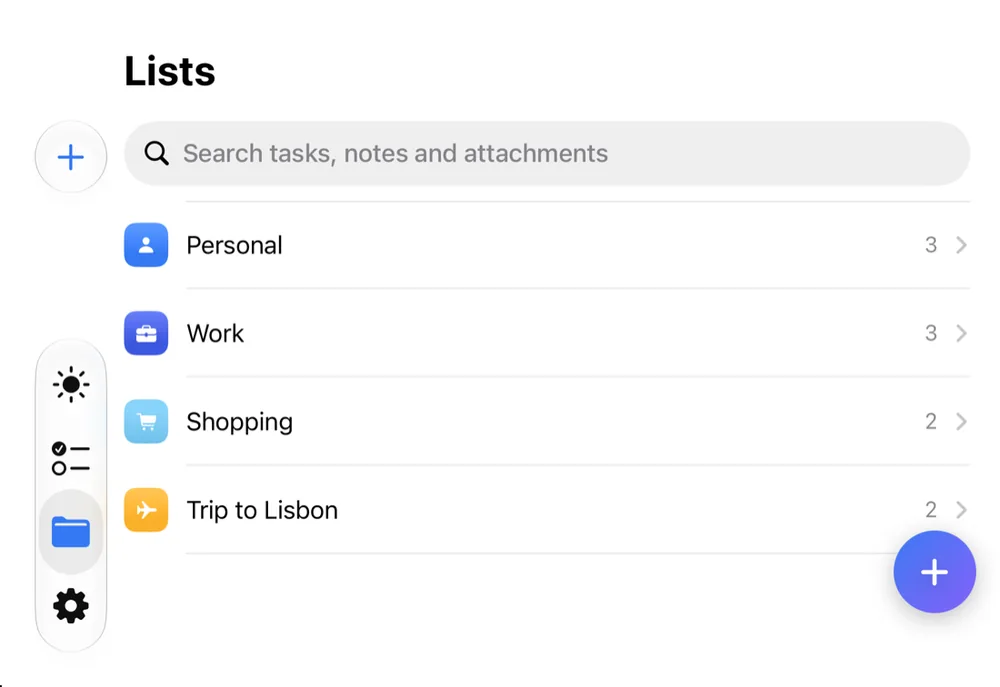
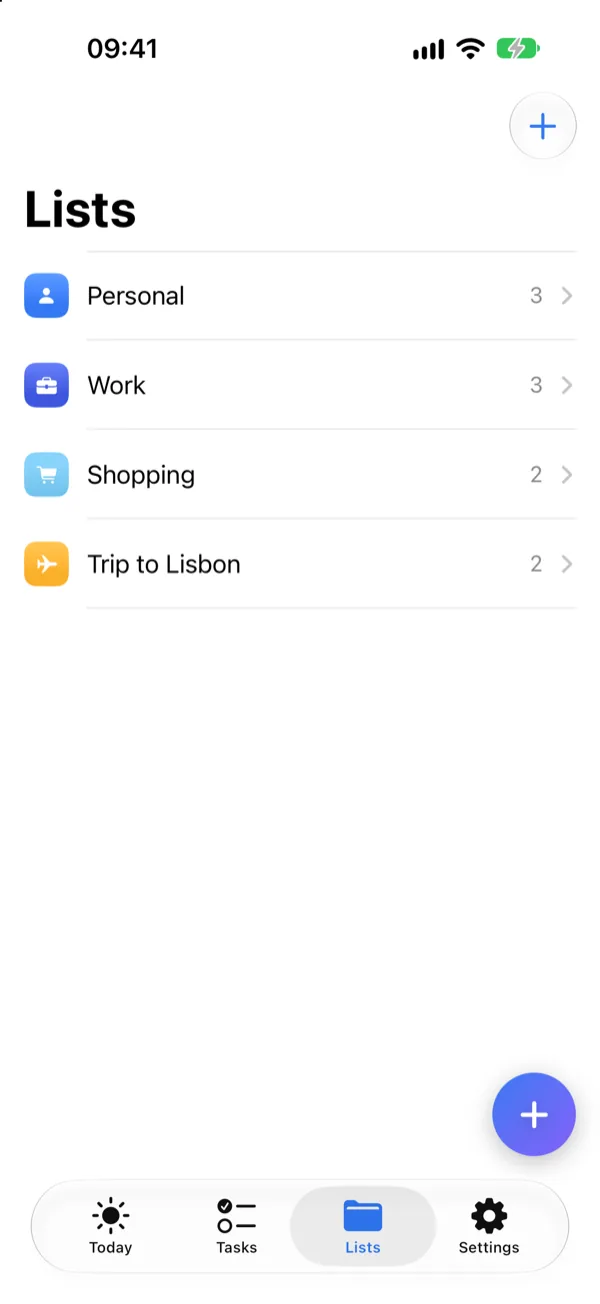
A colour and icon for every list; drag a task onto a list to refile it.

Repeat and remind

Repeat daily, weekly, monthly or yearly, with an optional end. Optional reminders you can complete from the notification.

Priorities

Low, medium and high priority, shown with a flag and a spoken label – never by colour alone.

Subtasks and notes

Break a task down, with progress shown on the row, and keep notes on every task.

Attachments

Photos, files and scans, or take a picture with the camera. Search across titles, notes and attachments.

Sync with Pro

iCloud sync of tasks, lists and attached files across iPhone, iPad and Mac. Paid once, never a subscription.

Plan

Everything a task needs.

Taskivo keeps the essentials close and gets out of the way. Capture a task in seconds, then add detail only when you want it.

  • Today, Upcoming, Overdue and Completed views, with a daily progress ring
  • Colour and icon for every list, and drag a task onto a list to refile it
  • Low, medium and high priority, due dates and times
  • Repeat daily, weekly, monthly or yearly, with an optional end
  • Subtasks inside any task, with progress shown on the row
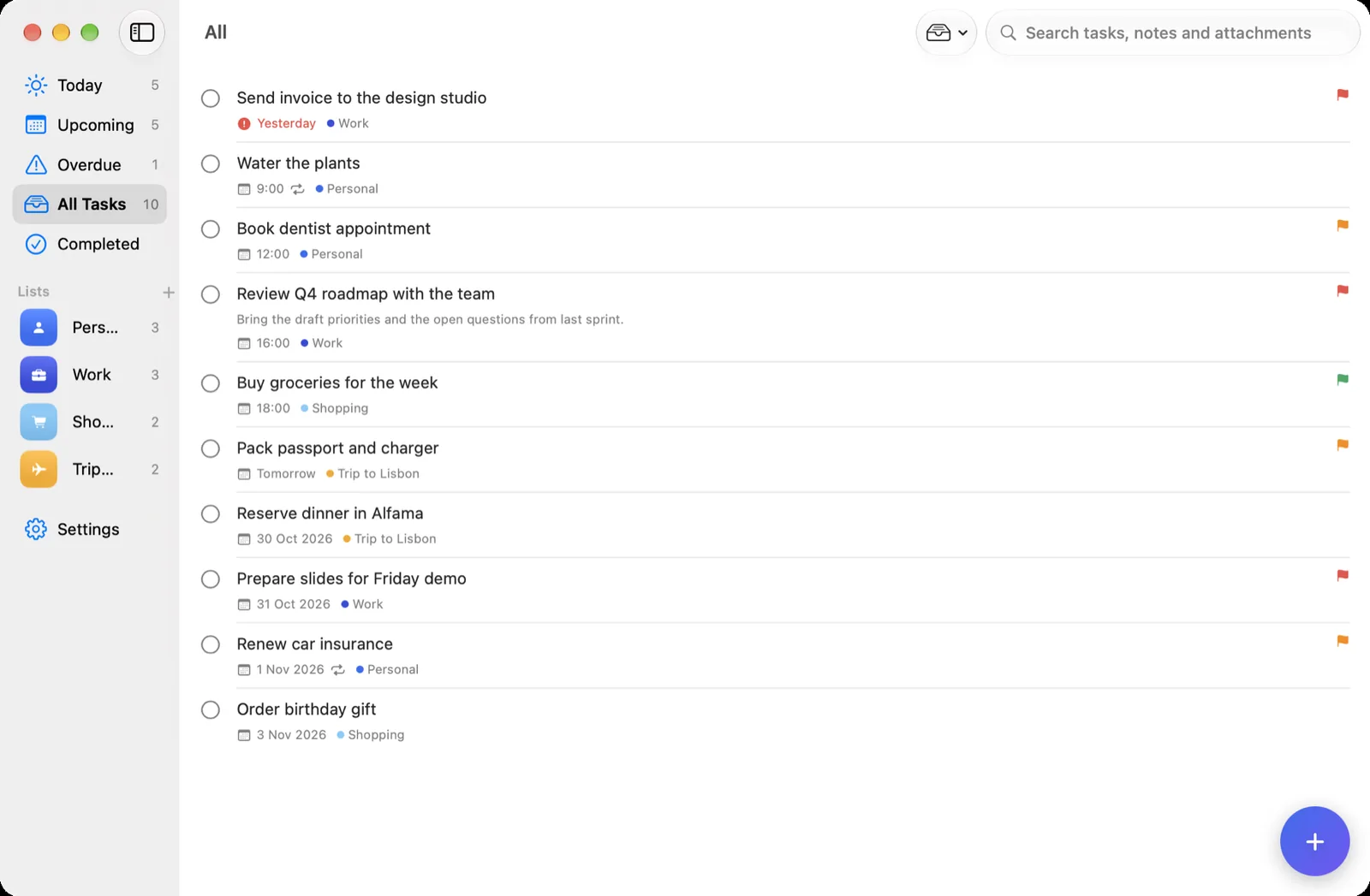
All tasks, grouped and prioritised
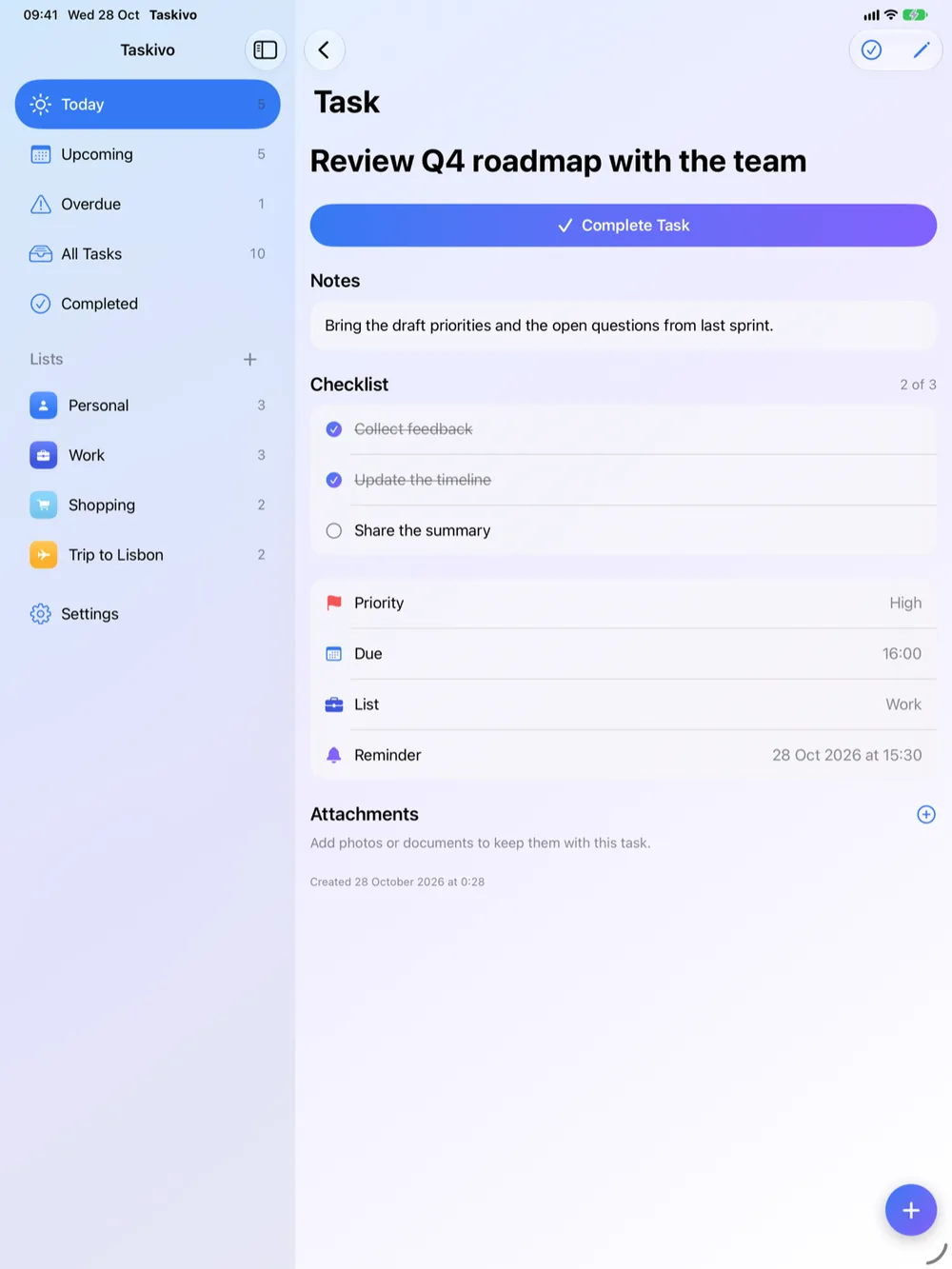
Task detail with notes and subtasks
Remember

Never lose the thread.

Reminders arrive when you ask for them, and everything you attach stays with the task it belongs to.
  • Optional reminders you can complete straight from the notification
  • Attach photos, files and scans, or take a picture with the camera
  • Search across titles, notes and attachments
  • Bring your existing Apple Reminders across in one step. Your originals are never changed
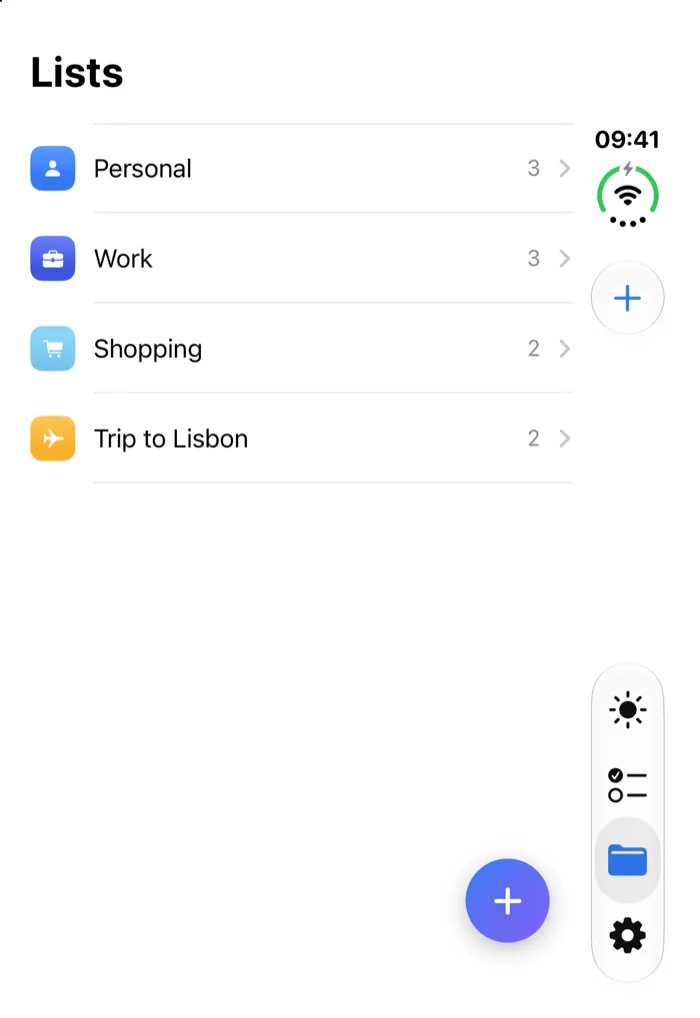
Lists with colour and icon
Today with a progress ring
Screenshots

Made for iPhone, iPad, iPhone Duo and Mac.

One list, beautifully adapted to every screen. Tap any screenshot to enlarge it.

Fast on the go. A tab bar for Today, Tasks, Lists and Settings, and a button to capture a task from anywhere.

Taskivo on iPhone: Detail
Taskivo on iPhone: Lists
Taskivo on iPhone: Tasks
Taskivo on iPhone: Today
Our promise

No account. No ads. No tracking.

Your to-do list is personal. Taskivo treats it that way.

✕ Account

No account

Open Taskivo and start. There is no sign-up, no email address and no password to remember.

  • Your tasks live on your own device
  • Syncing is optional and uses your own private iCloud
  • Delete the app and your local data goes with it
✕ Ads

No ads

Taskivo is a tool, not a billboard. Nothing is sponsored, promoted or sold to you.

  • No advertising of any kind
  • No third-party ad software inside the app
  • No interruptions while you work
✕ Tracking

No tracking

We don’t know what’s on your list, or even that you have one. Nothing about you or your tasks reaches us.

  • No analytics or crash-reporting software
  • No device identifiers or usage data collected
  • Tasks and attachments are never uploaded to us

Read the full Privacy Policy.

Everything inside

All the features.

The complete list, for iPhone, iPad, iPhone Duo and Mac.

Plan

  • Today, Upcoming, Overdue, All Tasks and Completed views
  • Daily progress ring on Today
  • Low, medium and high priority, shown with a flag and a spoken label
  • Due dates and times
  • Repeat daily, weekly, monthly or yearly, every N intervals, ending on a date or after a count
  • Subtasks inside any task, with progress shown on the row
  • Notes on every task

Lists and organising

  • Lists, each with its own colour and icon
  • Drag a task onto a list to refile it
  • Reorder lists in the sidebar
  • Filters for high priority and tasks with attachments
  • Sort by manual order, due date, priority, created date or alphabetically
  • Search across titles, notes and attachments

Remember

  • Optional reminders, requested only when you turn one on
  • Mark a task complete straight from its notification
  • Attach photos, video, PDFs, Word, spreadsheet, presentation and text files, or any file
  • Take a photo with the camera and attach it
  • Import your Apple Reminders in one step. Originals are never changed

Fast to use

  • Swipe to complete or delete
  • Long-press for quick actions: complete, priority, move
  • Floating button to add a task from anywhere
  • Tab bar on iPhone, sidebar on iPad and Mac
  • Pull to refresh

On Mac

  • New Task with Command-N
  • Switch views with Command-1 to Command-4
  • Search with Command-F
  • A native Settings window
  • Sidebar navigation with your lists

Sync and access

  • iCloud sync of tasks, lists and attached files across iPhone, iPad and Mac with Taskivo Pro, shown with account and last-sync status
  • Works fully offline, and free on one device
  • Descriptive VoiceOver labels; priority is never shown by colour alone
  • Requires iOS 17 or later, or macOS 14 or later
Pricing

Free to use. One purchase to sync.

Taskivo is free on a single device. Taskivo Pro adds sync across iPhone, iPad and Mac – paid once, never a subscription.

Taskivo

Free

Everything you need on one device.

  • Unlimited tasks, lists and subtasks
  • Priorities, due dates and repeats
  • Optional reminders
  • Attachments, search and filters
  • Import from Apple Reminders
  • No account, no ads, no tracking

Buy once in the App Store, or restore it any time from Settings. Price may vary by region and is shown in the App Store before you buy.

Questions

Good to know.

Do I need an account?

No. There is no sign-up, email address or password. Open Taskivo and start.

Is Taskivo really free?

Yes. The free app has unlimited tasks, lists and subtasks on one device. Taskivo Pro is a one-time purchase that adds iCloud sync across iPhone, iPad and Mac.

Is there a subscription?

No. Taskivo Pro is paid once and you can restore it any time from Settings.

Can I bring my Apple Reminders across?

Yes. Import your Apple Reminders in one step. Your originals are never changed.

Does it work offline?

Yes. Taskivo works fully offline. Syncing with Pro uses your own private iCloud.

Which devices does it run on?

iPhone and iPad with iOS 17 or later, and Mac with macOS 14 or later.

Taskivo app icon

Make today count.

Taskivo is coming to the App Store for iPhone, iPad and Mac.

Coming soon to theApp StoreQuestions? Contact support